RCS Image Optimizer
An AI-powered tool for optimizing marketing images for viewing on mobile.
- My role
- Product Designer, UX Writer
- Timeline
- Feb 2026 – May 2026
Context
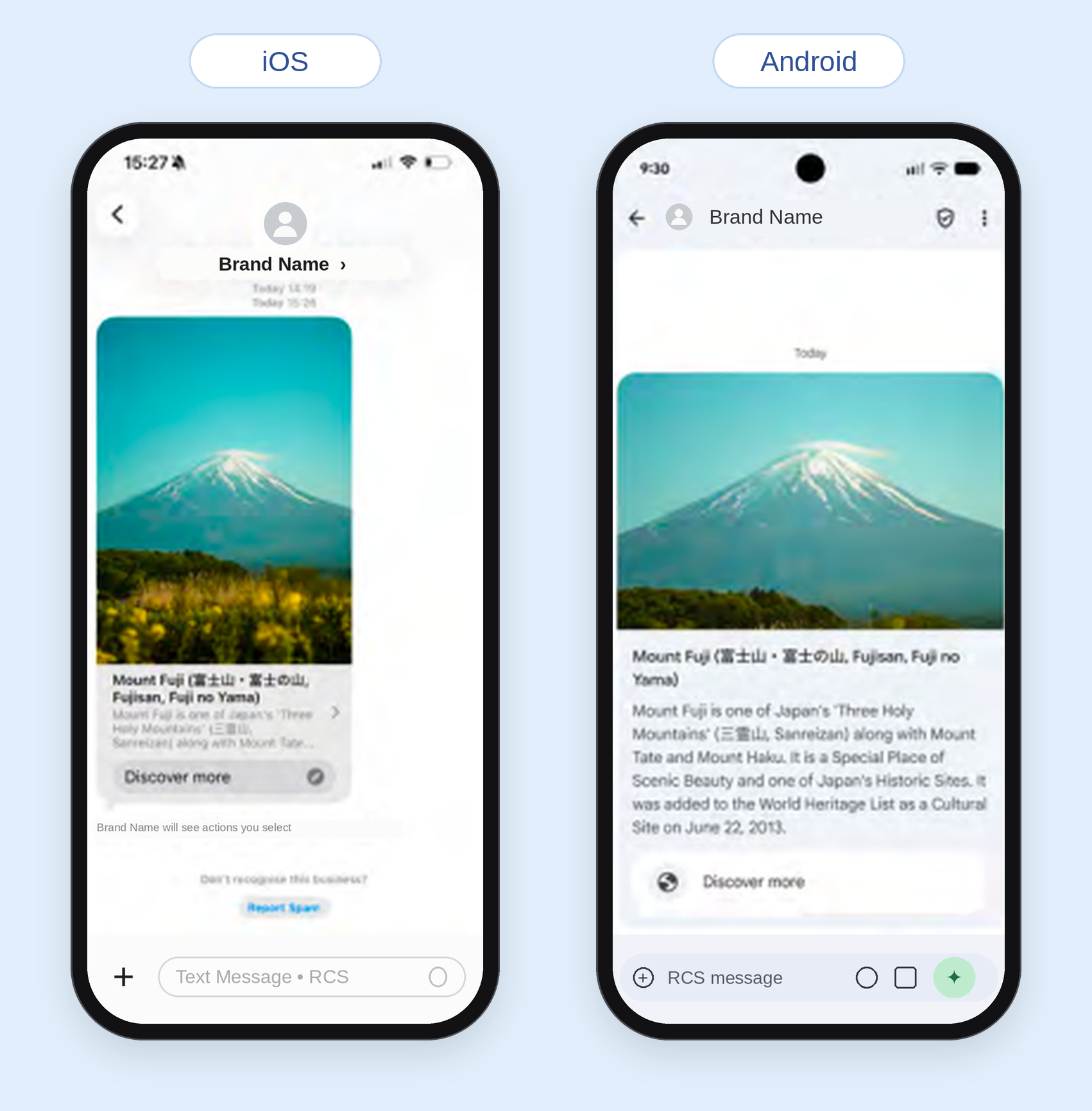
Android and iOS render the same image very differently. And there was no way to segment by operating system, so one image had to be sent to both Apple and Android devices. Marketers had to rely on extensive testing and rigid image specifications when sending images via RCS.
Project
After extensive testing on a variety of devices and collecting feedback from Customer Success Managers, I identified this as a key risk to our customers' continued use of RCS.
Working with Product Managers and Data Scientists, we proposed an AI-backed image transformer that took the original image and optimized it for both operating systems.
The process
- 1Empathize
- 2Define
- 3Ideate
- 4Prototype
- 5Test
Empathize
To start, I analyzed customer feedback collected from our AI meeting recordings.
EmpathizeCHALLENGE 1
Frustration.
Users consistently mentioned issues with their multi-OS experience. In some cases, they suggested abandoning RCS altogether.
“That almost sort of makes me feel like we should pull back just because it is so much more of an effort on our end.”
“I would just, like, nitpick and move my dimensions as much as possible to get it to actually fit within the box... the images still wouldn't look good.”
“No questions—just frustrated about iOS variability.”
EmpathizeCHALLENGE 2
AI fear.
To our customers, AI was new and unpredictable. We had to build trust if we every wanted them to use the feature.
“[Brands] are actually very hesitant... we'd have to do some testing and get it approved by them first.”
“[We] will want to actually sit down with and talk through the use cases and how AI is applied and what information the AI has access to.”
“There's skepticism about AI tools being helpful without making businesses less relevant.”
Define
Next, I defined our user and their needs.
DefineUser Persona
Melissa is the face of our user. She's busy, and motivated by streamlining and efficiency. But there's an important caveat; Melissa doesn't want to compromise the quality of her marketing sends. She craves confidence that her RCS messages will look their best for all users.
This persona graphic was made with the help of our in-house UX researcher.
DefineEmpathy Map
Breaking down the user persona into an empathy map helped me get into the mind of the users.
User persona based of Customer Success conversations with current customers.
Ideate
Now that I understood our user, it was time to ideate.
IdeateHow Might We?
- How might we...
Create confidence in the end product?
- How might we...
Streamline the process of RCS creation and eliminate repeated testing and rework?
- How might we...
Create trust in our new AI product?
- How might we...
Allow the user to have control over their images?
IdeateScoping
Along with the front-end developers, I scoped out a future vision for our image editor. Here, we didn't let ourselves be constrained - no idea was off the table. We also talked about the technical work that would be required behind the scenes.
IdeateDecisions
Of course, our dreams had to be reigned in slightly. Working with Product Managers and the data team building the AI image optimizer, we made a few key product decisions.
- No gen AI
To ensure their content's integrity would not be compromised, we built a model that would never generate new content for their images.
- Smart cropping
Our AI was smart enough to know what was important. When our AI cropped, it ensured the most important content, such as faces and logos, were always in frame.
- One best image
Rather than pulling multiple options, we built our AI to pick the best image every time.
- The choice is always theirs
AI would never be forced on our users. They needed the option to opt into optimization—and opt out, if they ever desired.
Prototype
Now that we had the flow, it was time to start designing. I used existed design system components and created any new necessary components to create high-fidelity mocks and a Figma prototype.
PrototypeHAPPY PATH
PrototypeUNHAPPY PATH
PrototypeEDGE CASE
Test
After my first iteration, I tested with potential users.
BEFORE TESTING
AFTER TESTING
Functionally, choosing the original image would do nothing, since the image would remain unchanged. But users voiced that being able to select this option was an important step.
BEFORE TESTING
AFTER TESTING
Users wanted to know why the new image was better. We added content explaining our AI's criteria for updating.
Wrap up
Wrap upResults
8
broadcasts sent in the first two weeks
60%
of users became repeat users
“I love this.”
Retail customer “It fixed it.”
Dining customer “It's great.”
Internal user